MyWorks makes it as easy as possible to handle accounting for the sales tax collected in Shopify orders from any country where you choose to collect sales tax in Shopify. If you're in the United States, see our doc on this specifically here.
Setting up sales tax
MyWorks allows you to easily map your Shopify sales tax rates to the sales tax rates present in your QuickBooks company. There are two areas in MyWorks to manage this.
Settings > Tax
In MyWorks Sync > Settings > Tax, you can set your QuickBooks tax rate that should be applied to items that are not taxed in your Shopify orders. This is normally a tax rate named “Out of Scope”, or “Exempt”.

Map > Tax Rates
In MyWorks Sync > Map > Tax Rates, you can view your Shopify tax rates and select the matching QuickBooks tax rate for each country that you charge tax in.
%20%C2%B7%20MyWorks%20Sync%20Staging%20%C2%B7%20Shopify%202025-09-15%20at%204.20.54%20PM.png)
Syncing tax as a line item
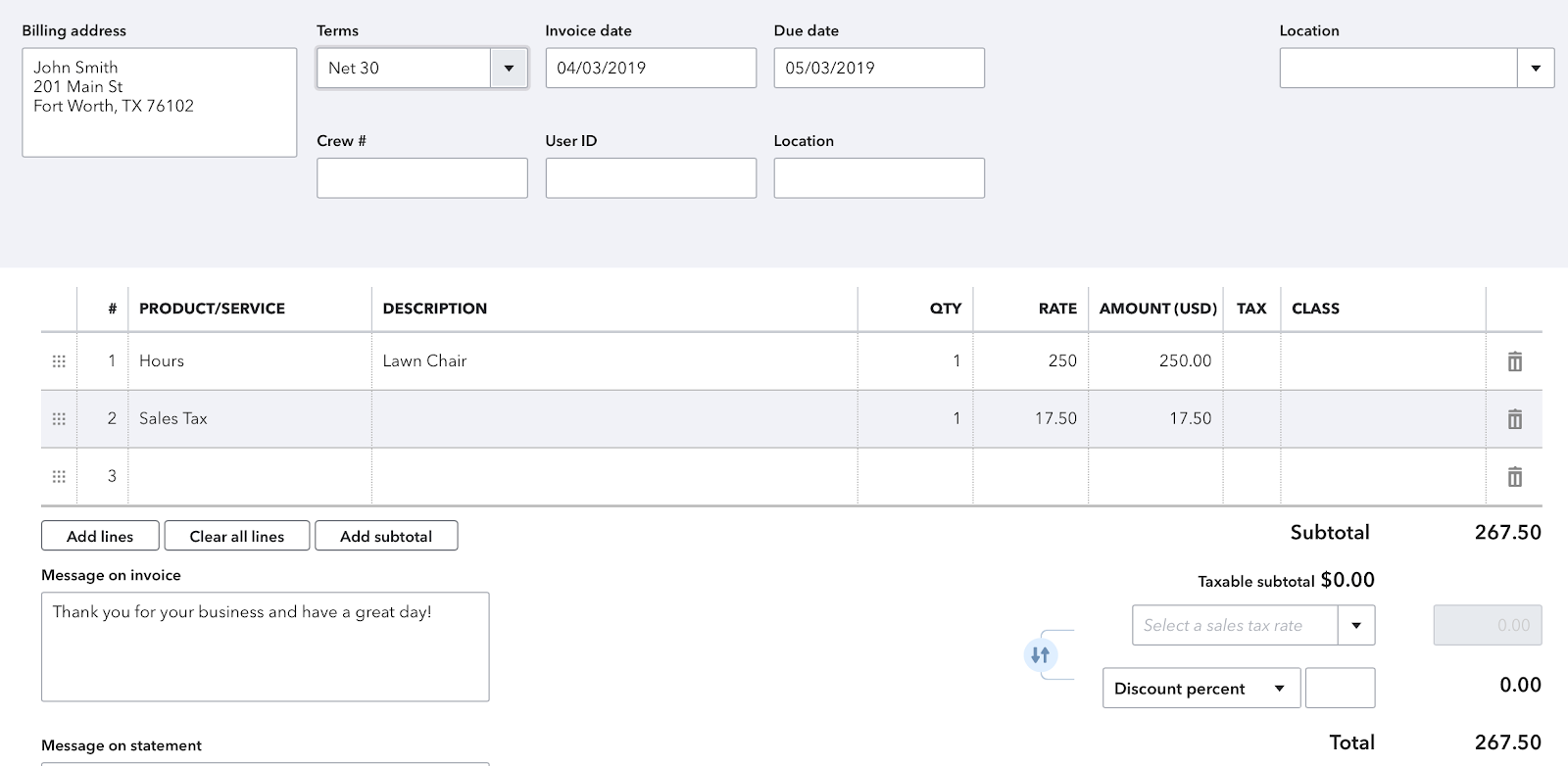
If you're collecting sales tax in different countries/regions (for example, in the US, Canada, and the UK), or have sales tax turned off in QuickBooks, you can sync tax as a line item in the QuickBooks order instead.
You can enable the setting to sync sales tax as a line item in MyWorks Sync > Settings > Tax, and the line item used in QuickBooks can be controlled in several different ways:
- You can select a single QuickBooks product to be used for the sales tax line in QuickBooks. This is the item that will be used by default, unless a QuickBooks product is selected for the country/region in the section below.
- In the section below, you can select a specific/different QuickBooks item to use for the sales tax based on the country or region of the order. This can be helpful to track sales tax collected in separate accounts in QuickBooks based on the country, US state, or Canadian Province that the sales tax was collected for.
If a country or province is not assigned to a QuickBooks item in the below section, MyWorks will follow its tax rate mapping instead, in MyWorks Sync > Map > Tax Rates.


Once enabled, the Sales Tax collected in the Shopify order will be synced as a line item in the order in QuickBooks Online, as shown in the below example: